Auto Scaling Groups Explained With a Real Example
Auto Scaling isn't "add more servers when busy." It's a specific set of decisions — what triggers it, what the limits are, and how fast it reacts — that most teams configure once and never revisit.
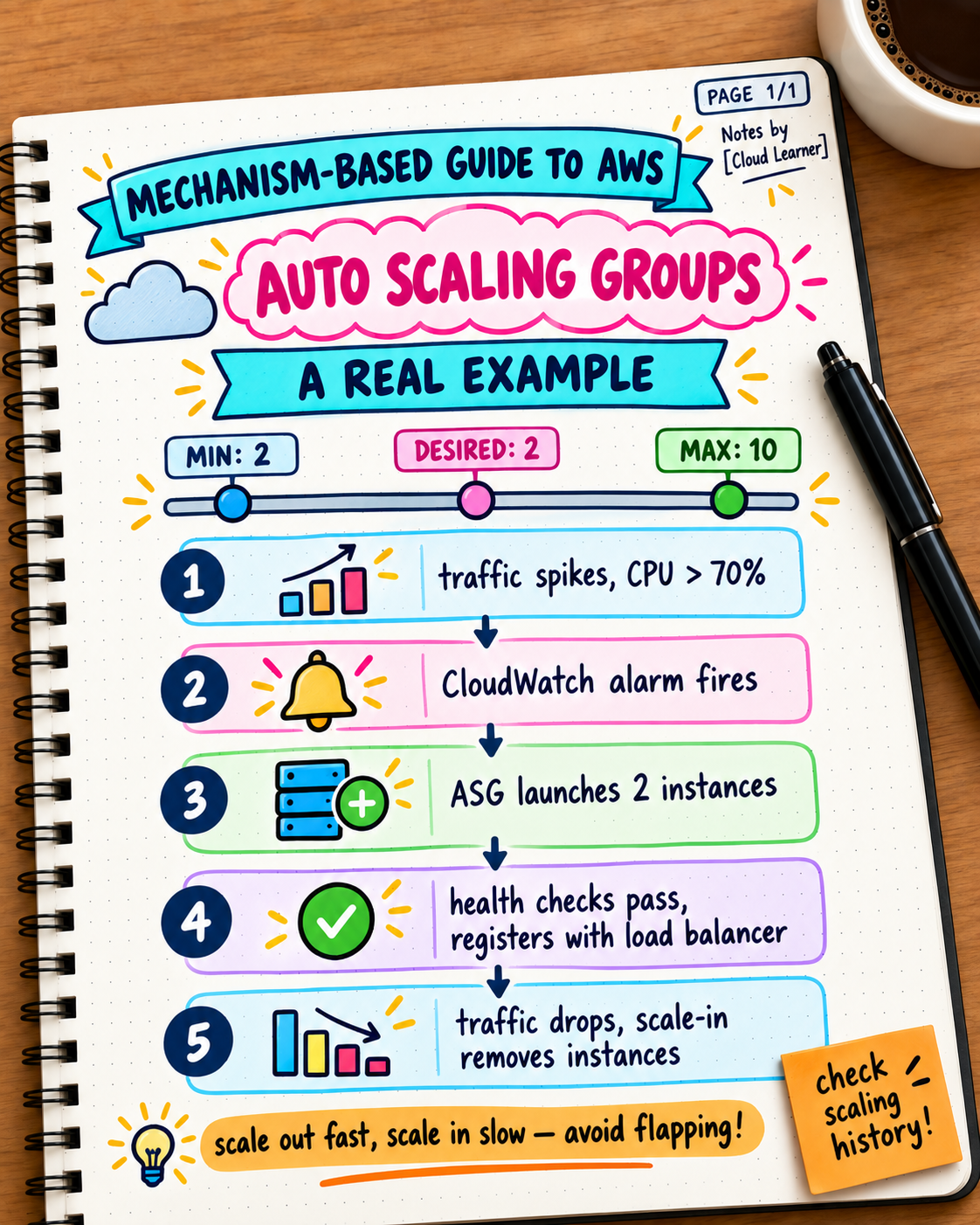
An Auto Scaling Group (ASG) automatically adjusts the number of EC2 instances running your application based on demand. The concept is simple; the actual configuration decisions are where teams either get real resilience or a false sense of it.
The three numbers that define an ASG
Minimum: 2
Desired: 2
Maximum: 10
- Minimum — the floor. The ASG never runs fewer instances than this, even with zero traffic. Usually set to at least 2, so you're never down to a single point of failure.
- Desired — the current target the ASG is actively maintaining. This changes automatically as scaling policies react to demand.
- Maximum — the ceiling. A hard cap, usually set based on cost tolerance or a known downstream limit (like your database's max connections).
What actually triggers scaling: policies tied to a metric
Scale-out policy: if average CPUUtilization > 70% for 5 minutes, add 2 instances
Scale-in policy: if average CPUUtilization < 30% for 10 minutes, remove 1 instance
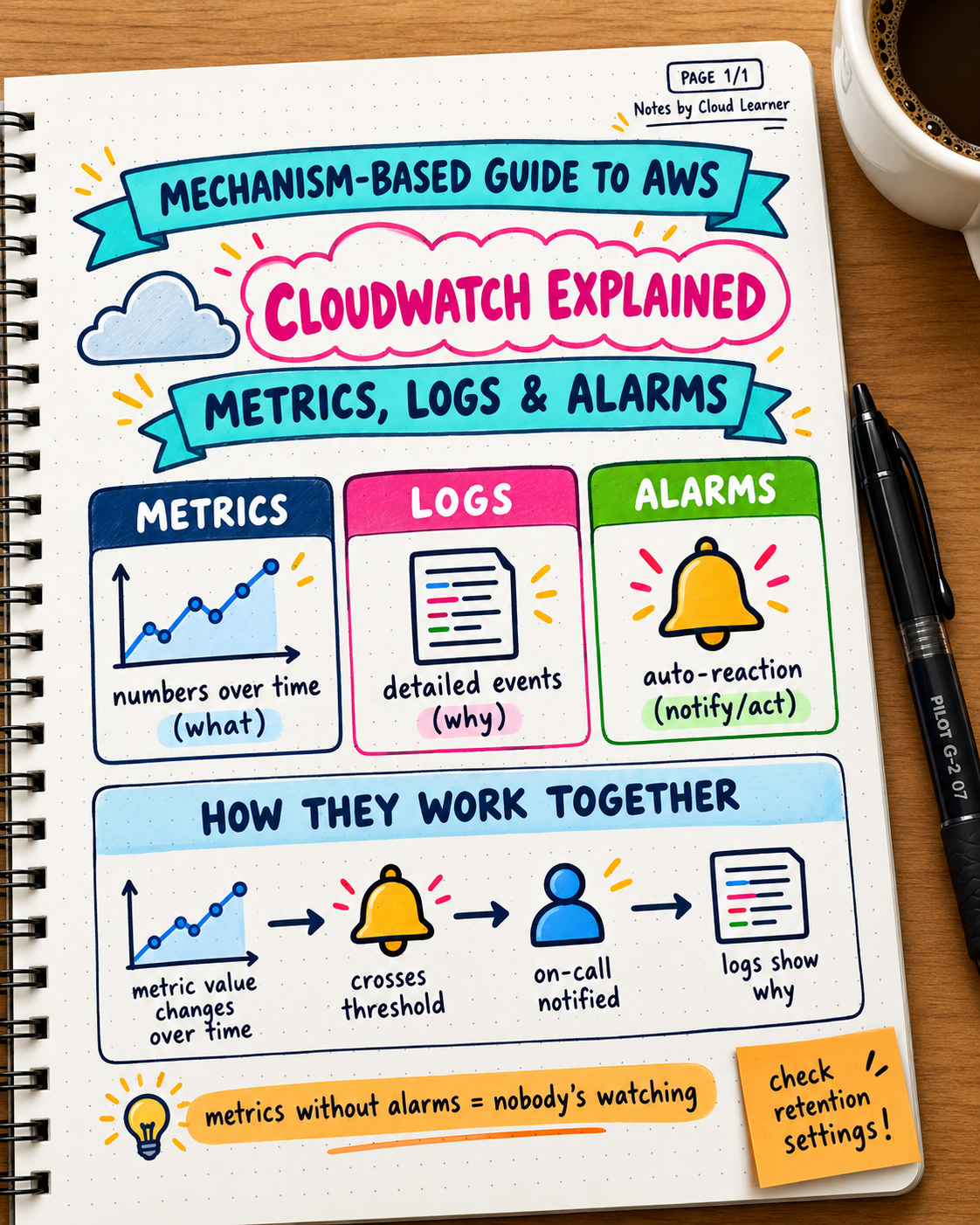
This connects directly to Day 9's CloudWatch post — Auto Scaling policies are, at their core, alarms that trigger a scaling action instead of (or in addition to) a notification. If you don't have a metric that accurately reflects real load, your scaling policy will react to the wrong signal.
A real example, walked through
Imagine an e-commerce app with 2 instances running normally. A flash sale starts:
- Traffic spikes, CPU utilization climbs past 70% across existing instances.
- The CloudWatch alarm (tied to the scaling policy) fires after sustaining past threshold for the defined period.
- The ASG launches 2 new instances, pulling from the configured launch template (which defines the AMI, instance type, and startup configuration).
- New instances register with the load balancer's target group once they pass health checks — traffic starts routing to them.
- As the sale ends and CPU drops, the scale-in policy eventually removes instances back toward the desired/minimum count.
Why health checks matter more than people expect
A newly launched instance isn't useful the moment it exists — it needs to actually be healthy and ready before the load balancer sends it traffic. If your health check is too permissive (marks an instance healthy before your application has actually finished starting up), the ASG can route real user traffic to an instance that isn't ready yet, causing errors during exactly the high-traffic moment scaling was meant to handle.
Scaling in too aggressively is a common, underrated mistake
If the scale-in policy removes instances too quickly after a brief dip in traffic, and traffic spikes again shortly after, you end up repeatedly scaling out and in — "flapping" — which adds latency (new instances take time to launch and become healthy) right when you need capacity most. A more conservative scale-in threshold, with a longer sustained-low-traffic requirement, usually produces more stable behavior than matching the scale-out sensitivity exactly.
A practical decision framework for setting your own thresholds
| Setting | Guidance |
|---|---|
| Minimum | At least 2, for basic redundancy against a single instance failure |
| Maximum | Based on your actual cost ceiling or a known downstream limit (database connections, etc.) |
| Scale-out sensitivity | Faster to react — you want capacity quickly when demand rises |
| Scale-in sensitivity | Slower to react — avoid flapping from brief traffic dips |
| Health check grace period | Long enough for your actual application startup time, not a guess |
Try this yourself: if you have an ASG running, check its scaling history (available in the console) for the last 30 days. Look specifically for repeated scale-out/scale-in cycles happening close together — that's the flapping pattern, and it's a concrete signal your thresholds need adjusting.
Takeaway: Auto Scaling isn't "set it and forget it" — the minimum/desired/maximum values, the metric driving the policy, the health check configuration, and the scale-in sensitivity all compound into whether your ASG actually provides resilience or just adds complexity without solving the real problem. Review the scaling history occasionally; the right configuration isn't usually obvious on the first attempt.